WhatsApp chatbot provider: how to choose the right one
How to choose a WhatsApp chatbot provider in Mexico: self-service platform or custom build, 12 questions for the demo and red flags before you sign.
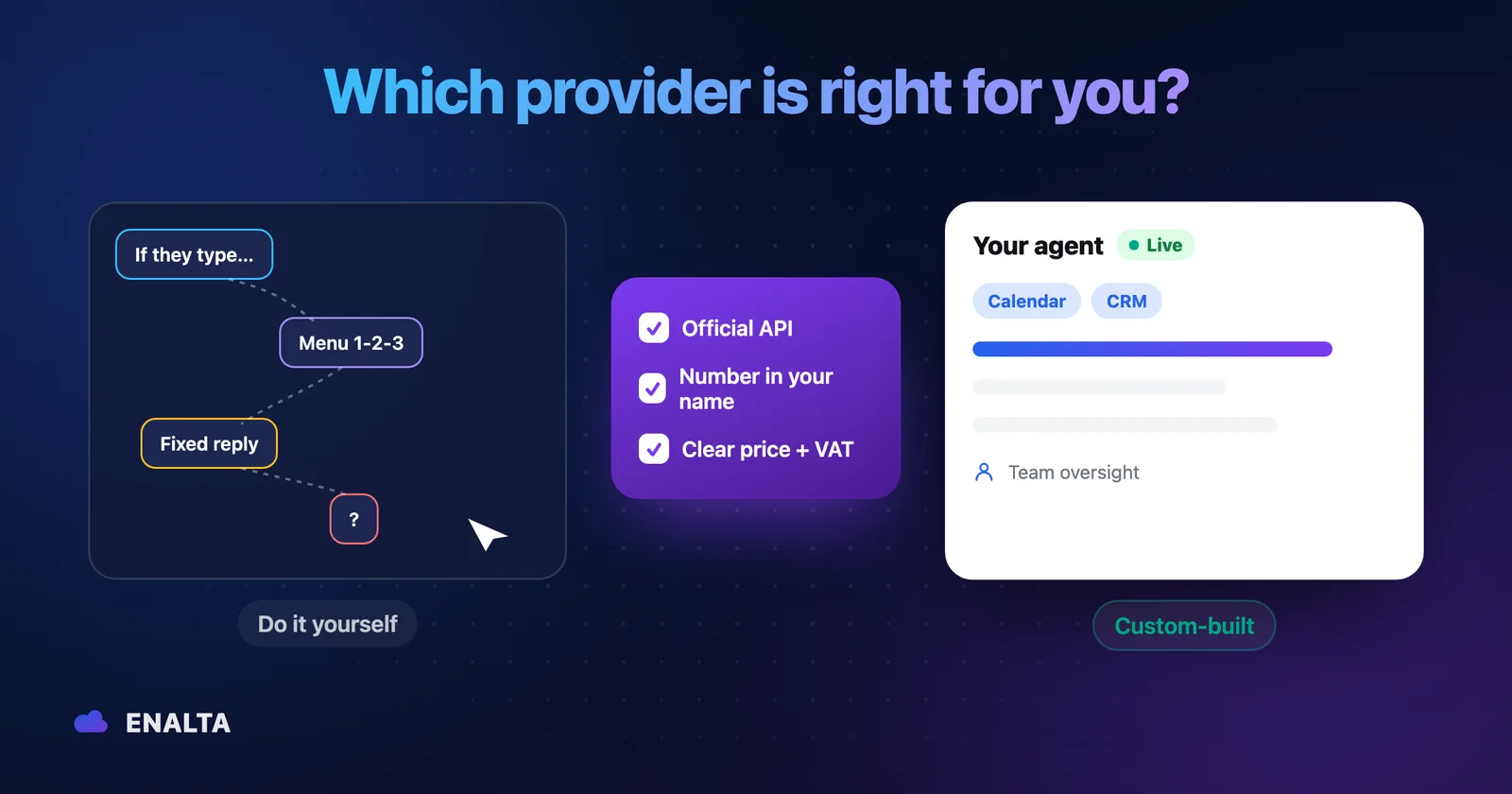
You've already decided your business needs more than quick replies on WhatsApp. Now that you're shopping for a WhatsApp chatbot provider, you have three quotes that look nothing alike: one charges in dollars per user, another by active contacts, and the third doesn't publish a price and asks you to "book a demo."
There is no "best provider." There's the one that fits your time, your systems and your message volume. This guide gives you a method to sort the options, ask the right questions in the demo and spot red flags before you sign.
The four types of WhatsApp chatbot providers
Before comparing brands, place each option in its category.
Self-service platforms: Wati and its alternatives
Wati, ManyChat, respond.io, Botmaker and Cliengo are examples. They give you access to the official WhatsApp Business API, a shared inbox and a flow builder or AI agent builder. You set it up, with templates, documentation and, depending on the plan, support. They're good tools if you have someone to run them.
CRM with a bot
Leadsales and Kommo, for example, put the bot inside a sales pipeline: stages, lead follow-up and automations. They make sense if your priority is selling and keeping your sales team organized.
Meta's AI in the WhatsApp Business app
Since November 3, 2025, eligible businesses in Mexico can turn on Meta's AI from Tools in the app (Mexico was the first country, according to Expansión). It answers using your catalog, prices and hours, and you decide when it hands off to a person. Right now it can be turned on with no price published by Meta; the company has said it plans to include it in some WhatsApp Business Premium tiers (TechCrunch, Jun 3, 2026). Here we explain what the AI in the WhatsApp Business app does.
Custom agent (agency or integrator)
A team designs the agent with you, connects it to your systems (calendar, CRM, inventory), tests it and maintains it. You bring the business knowledge and the rules; they handle the technical side.
DIY or a custom WhatsApp chatbot: a fair comparison
This table compares models, not brands. Within each category there are better and worse providers.
| Criterion | Self-service platform | Custom agent |
|---|---|---|
| Upfront cost | Low or none; many offer a free trial | Implementation fee |
| Monthly fee | Subscription, usually in USD, by users, contacts or features | Monthly maintenance, often in MXN |
| Your team's time | High at first (learning curve) and ongoing (adjustments) | Low: you validate, approve and give feedback |
| Integrations with your systems | Whatever the platform already includes; the rest is on you | Designed for your case, via API |
| Who responds when something breaks | Platform support; the configuration is yours | The provider, as agreed |
| Control over sensitive rules | You configure it | Defined in writing during design |
| Flexibility to switch | High if your data can be exported | Depends on the contract and who owns what |
DIY wins if you have someone technical with time, and your use case is standard: FAQs, data capture, campaigns. Custom wins if you need to connect a calendar or CRM, if there are fine-grained rules (what the agent can and can't promise) or if you have no one to run it.
How they charge (without getting lost in the numbers)
- Platform subscription. Usually in dollars. respond.io, for example, states that its prices are in USD and charges based on monthly active contacts.
- WhatsApp messages, billed separately. Meta charges per delivered message based on category and country; messages the customer sends you are free. respond.io says it verbatim: "WhatsApp fees are not included in any respond.io subscription". Wati charges for messages according to its own rate table.
- AI as an add-on. On some platforms you pay with credits (respond.io) or as a separate add-on (Wati's Astra agents).
The amounts change often. Check the current plans for Wati, respond.io and ManyChat, plus Meta's pricing table.
Signs you've outgrown DIY
- The bot gets stuck when a customer asks something off-script.
- No one has time to update answers, prices or hours.
- You need it to book appointments or log leads in your CRM.
- You pay for users or features you barely use.
- You don't know how much you pay Meta each month or why.
If you checked two or more, it's worth getting a quote for a custom agent.
Will I lose my number or my chats if I move to the WhatsApp Business API?
This is the question that holds business owners back the most. The answer depends on how the connection is made.
Coexistence: using your WhatsApp Business number in the app and the API
Meta lets you connect a number you already use in the WhatsApp Business app to the Cloud API and keep using both. According to its documentation, the app must be on version 2.24.17 or later, the connection is made by a provider that offers this option, and the business can sync its chat history. When you connect, companion devices (such as WhatsApp Web) are unlinked, and compatible ones need to be linked again.
Full migration to the API
If you delete the app account and register the number directly on the API, Meta warns that you lose your chat history and can no longer use that number in the app unless you deregister it from the API. Back up your chats first.
Who owns the number and the account
The number and the account should be in your business's name, in your own Meta business portfolio, not the provider's. Get it in writing that you can export conversations and contacts if you ever switch.
Before you move anything, review your case carefully. If you'd like, we can check whether your current number can be connected.
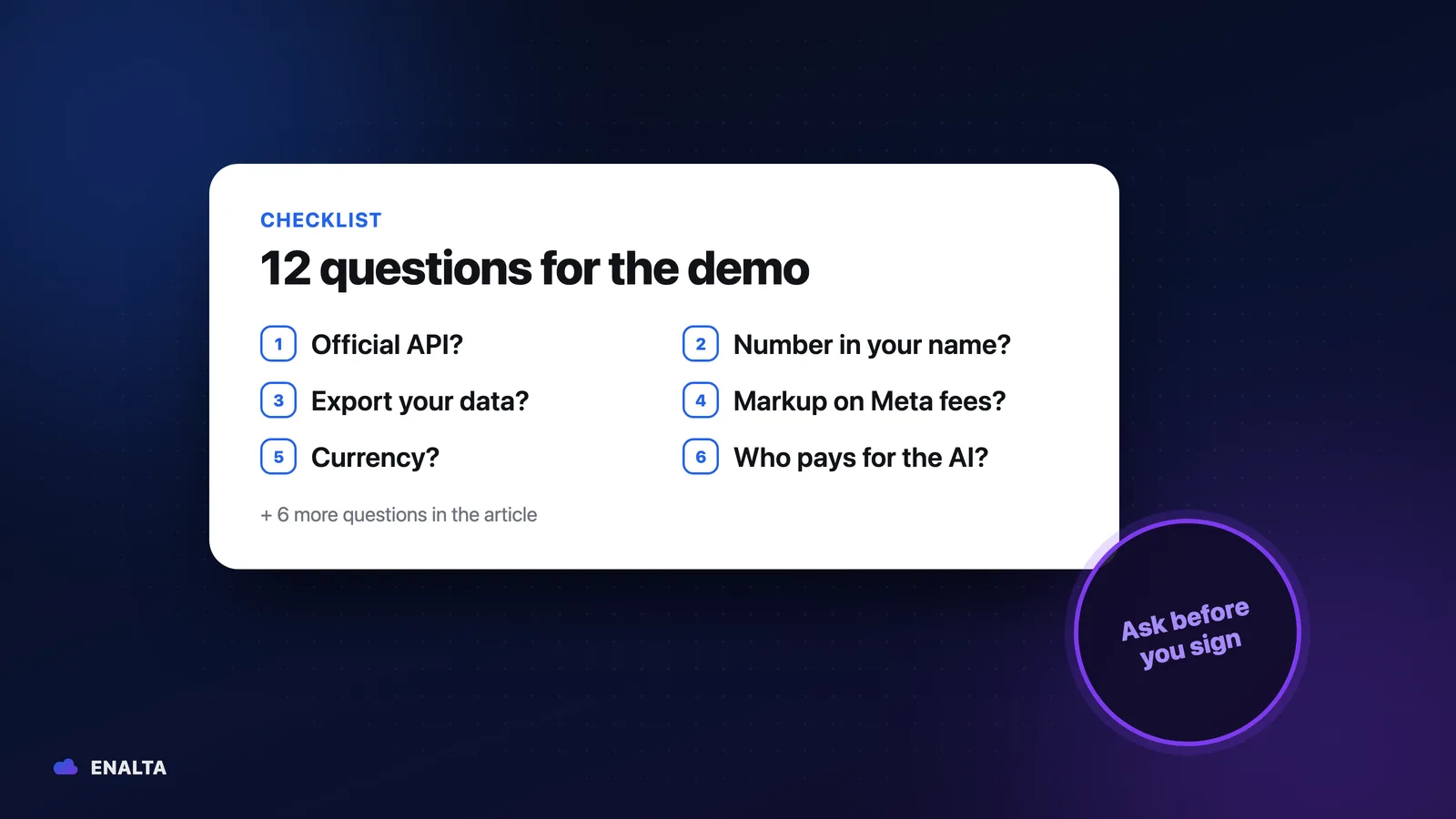
12 questions for any WhatsApp Business API provider demo
Use them with everyone, including us. They're the same criteria you'd use to choose a web agency: transparency, ownership and support.
- Do you use the official WhatsApp Business API? Expect a clear yes. Unofficial solutions risk getting the number blocked.
- Will my number and account be in my business's name? In your Meta business portfolio, with admin access for you.
- Can I export conversations and contacts? Ask about the format and how to request it.
- How do you bill Meta's messages? With what markup? Have them tell you whether you pay Meta directly or through them, and whether they add a fee.
- What currency do you and Meta bill in? Meta has billed in pesos (MXN) since January 1, 2026 for accounts created in that currency. The currency is chosen when the account is created and can't be edited later; to switch to pesos, Meta documents an API that creates a new account and migrates your numbers and templates (it doesn't apply to coexistence accounts). Ask which one yours will have.
- Who pays for the AI? Credits, add-on or estimated usage: have them tell you up front.
- Is there a minimum contract or an exit penalty? Ask for the clause, not a verbal explanation.
- What happens when the AI doesn't know the answer? The right behavior is to admit it and hand off to a person.
- How does my team step into a conversation? They should be able to take over without workarounds.
- What actions is the agent prohibited from taking? For example: giving unauthorized discounts, promising dates or, in healthcare, diagnosing.
- Where is the data stored and who is responsible for it? A concrete answer and a contract that says so.
- How quickly do you respond to support requests, and through what channel? Ask for the service level in writing.
One more thing: since January 15, 2026, Meta doesn't allow the API to be used to offer general-purpose AI assistants. An agent scoped to your business (customer service, sales, appointments) is allowed. If someone offers you "ChatGPT on your WhatsApp" with no limits, ask how they comply with that policy.
Personal data: the minimum you should review
This is general information, not legal advice; confirm your case and your privacy notice with a specialist.
Mexico's new Federal Law on the Protection of Personal Data Held by Private Parties (LFPDPPP) was published in the DOF (Official Gazette) on March 20, 2025. The essentials for choosing a provider:
- Your business remains the data controller for your customers' data, even if another company processes it.
- The provider acts as a processor (persona encargada): it handles the data on your behalf (Art. 2, sec. XII).
- There must be administrative, technical and physical security measures (Art. 18).
- Your privacy notice must cover the use of WhatsApp and the agent.
- Sensitive data, such as health data, requires express written consent (Art. 8).
If you see patients, also review the rules for health data on WhatsApp.
Costly mistakes your provider should help you avoid
- No goal or baseline. If you don't measure how many messages, appointments or leads you get today, you'll never know if the agent is working.
- Asking for everything on day one. Two or three tasks done well deliver more than ten done halfway.
- Outdated information. An old price does more damage than not answering.
- No way out to a person. A customer trapped with a bot is the worst outcome.
- Launch and forget. Without reviewing conversations, the agent doesn't improve.
What to ask for in the monthly report
Conversations handled, resolved by the agent, handed off to a person (and why), Meta usage by category and AI usage. Without those five data points, you won't know whether what you're paying makes sense.
Red flags in a quote
- The price only shows up "after the demo."
- They promise everything will be "100% automatic."
- They say the AI "never makes mistakes."
- They guarantee results or return on investment.
- The number or the Meta account would be in the provider's name.
- They bill messages without a breakdown by category.
- A long contract with no clear exit.
Decision matrix you can copy
Score each provider on your shortlist from 1 to 5 and multiply by the weight. Adjust the weights to your business.
| Criterion | Weight | Provider A | Provider B | Provider C |
|---|---|---|---|---|
| Total annual cost (subscription or maintenance, Meta, AI) | 25% | |||
| Internal time it requires | 20% | |||
| Integrations with your systems | 15% | |||
| Control over rules and sensitive actions | 15% | |||
| Support and service level | 15% | |||
| Ease of exit (number and data in your name) | 10% |
Frequently asked questions
Do I need the API to have an AI agent?
Not necessarily: Meta's AI works inside the WhatsApp Business app and answers using your catalog, prices and hours. But if you want to integrate your calendar or CRM, have several people handle the same number or set your own rules for the agent, you need the official WhatsApp Business API.
Can I switch providers without losing my number?
Yes, if the number and the account are in your business's name, in your own Meta business portfolio and not the provider's. Make it clear in the contract and get it in writing that you can export conversations and contacts, so switching providers doesn't force you to start from scratch.
Should I go with an agency or a platform?
It depends on your time and your use case. A self-service platform makes sense if you have someone technical with time, and your use case is standard: FAQs, data capture or campaigns. A custom agent makes sense if you need to connect a calendar or CRM, need fine-grained rules or have no one to run it.
Who pays Meta?
You always do, either directly to Meta or through the provider. Meta charges per delivered message based on category, and messages the customer sends you are free. Ask them to tell you which of the two arrangements applies, whether they add a markup and that the report break down usage by category.
Ask ENALTA these 12 questions too
So you can compare, here are our short answers:
- Published price: implementation $1,890 USD + VAT, a one-time online card payment; live in 10 business days.
- Maintenance: from $390 USD + VAT/month, with AI and WhatsApp usage included up to 1,000 conversations; it isn't charged until the agent is live (you activate it from your Mi ENALTA portal).
- Platform: the official WhatsApp Business API. Whether your current number can be connected is reviewed in the assessment; in many cases it can.
- When the AI doesn't know: it hands off to a person, and your team can step in at any time.
- Limits: sensitive actions are restricted from the design stage.
- Integrations: via API with CRM, ERP, calendars or inventory systems.
- Meta and AI usage: included in maintenance up to 1,000 conversations a month; above that we let you know and quote it first.
- Process: Assessment, Design, Integration and testing, Launch and optimization. After payment, we contact you in less than one business day.
We're not the right fit for everyone: if you have someone with time and a simple use case, a self-service platform may be enough. If you'd rather have someone design it, connect it and maintain it with you, see how ENALTA's custom AI agent works.
Sources
- Meta: Pricing on the WhatsApp Business Platform (per-delivered-message billing since Jul 1, 2025; user messages are not charged; archived version from Sep 14, 2026)
- Meta: announcement of MXN billing starting Jan 1, 2026 (archived version from Dec 9, 2025)
- Meta: Change billing currency via API (Currency Migration API; creates a new account in another currency and migrates numbers, templates and Flows; not available for coexistence accounts; archived version from Jun 26, 2026)
- Meta: Onboarding WhatsApp Business app users (coexistence; version 2.24.17; companion devices; chat history)
- Meta: Migrate an existing WhatsApp number to a business account (loss of chat history when deleting the account)
- respond.io: pricing page (prices in USD, active contacts, AI credits, "WhatsApp fees are not included"; archived version from Sep 14, 2026)
- Wati: pricing page (messages per Wati's rate table; Astra AI as an add-on; archived version from Sep 9, 2026)
- Expansión: Mexico, the first country to receive AI agents on WhatsApp Business (Oct 16, 2025; in Spanish)
- TechCrunch: Meta's AI agent for WhatsApp Business is now available globally (Jun 3, 2026)
- TechCrunch: WhatsApp changes its terms to bar general-purpose chatbots from its platform (Oct 18, 2025)
- Chamber of Deputies: Federal Law on the Protection of Personal Data Held by Private Parties (DOF Mar 20, 2025; in Spanish)